Dates and time formats quietly shape much of our daily life. From work schedules and payroll cycles to project deadlines, travel plans, and global communication, small errors in time calculation can lead to real problems. A missed meeting, incorrect overtime pay, or an off by one day deadline is often the result of manual date math gone wrong.
This is where a reliable date and time calculator becomes essential. Instead of counting hours by hand or guessing how many days fall between two dates, a smart calculator handles the logic for you. A well-built date time calculator online brings clarity, accuracy, and consistency to everyday planning, whether you’re managing employee shifts, tracking academic deadlines, or coordinating across time zones.
This guide explains how shift time calculations work, how to use the calculator’s core features, and why it’s a practical tool for real-world scenarios.
What Is Shift Time?
Shift time refers to the total duration worked between a defined start date and time and an end date and time. It may include same day shifts, overnight work, or multi day schedules depending on the job or task.
A shift time calculator automates this process by accurately measuring the time difference while accounting for date boundaries, clock changes, and extended durations.
Shift time calculations are commonly used for:
- Employee scheduling and payroll processing
- Tracking billable hours for freelancers or consultants
- Calculating overtime and night shifts
- Planning events or coverage rotations
- Monitoring productivity and attendance
Tools such as a work shift calculator or employee shift calculator help remove ambiguity and reduce manual errors.
What You Need Before Calculating Shift Time
Before using a time and date calculator, it helps to gather a few basic details:
- Start date and start time
- End date and end time
- Whether the shift crosses midnight or spans multiple days
- Any hours or breaks that need to be added or subtracted
Having this information ready ensures clean inputs and accurate results, especially when using a total work hours calculator or calculating overtime.
Method 1: Calculate Shift Duration (Most Common Use)
This is the simplest and most frequently used function.
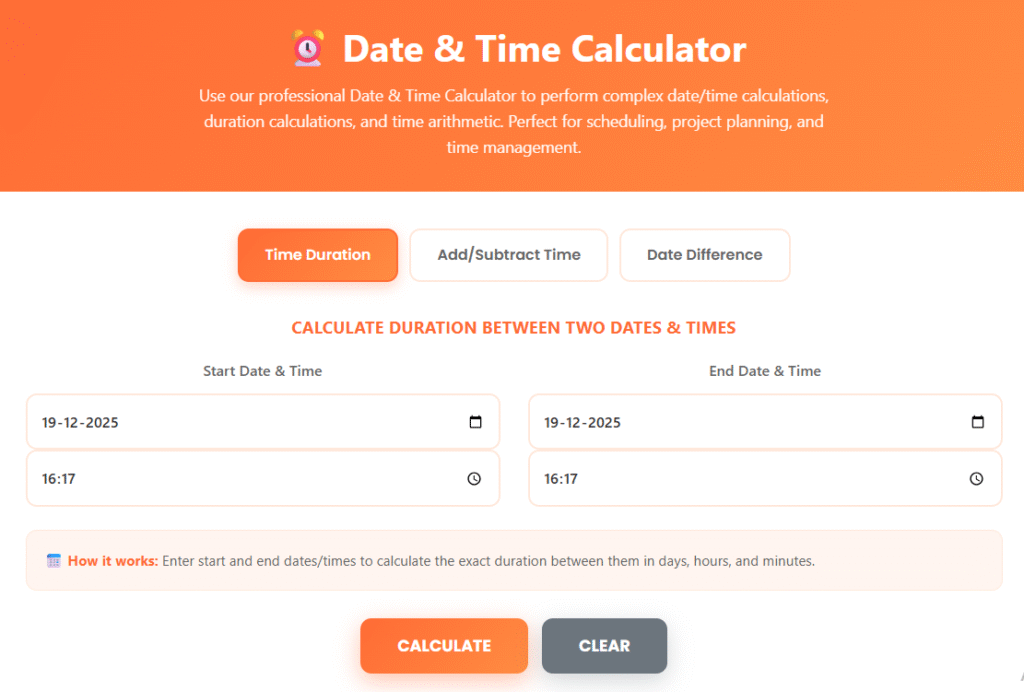
- Select “Time Duration” at the top of the calculator
- Enter the employee’s “Start Date & Time“
- Enter the employee’s “End Date & Time“
- Click “Calculate“
The tool instantly shows the time difference in hours, minutes, and sometimes days. Internally, this works as a precise time difference calculator and date duration calculator combined.
Example:
An employee starts work at 9:00 AM on June 10 and finishes at 5:30 PM the same day. The calculator returns 8 hours and 30 minutes, with no manual math required.
Method 2: Calculate Overnight or Multi-Day Shifts
Overnight shifts are a common source of mistakes when calculated manually. The calculator handles them automatically as long as the correct end date is entered.
For example, a night shift starting at 10:00 PM on Friday and ending at 6:00 AM on Saturday will be calculated accurately without needing adjustments. This makes the tool particularly useful as an overtime shift calculator or for healthcare, security, and hospitality roles.
Method 3: Add or Subtract Work Hours from a Shift
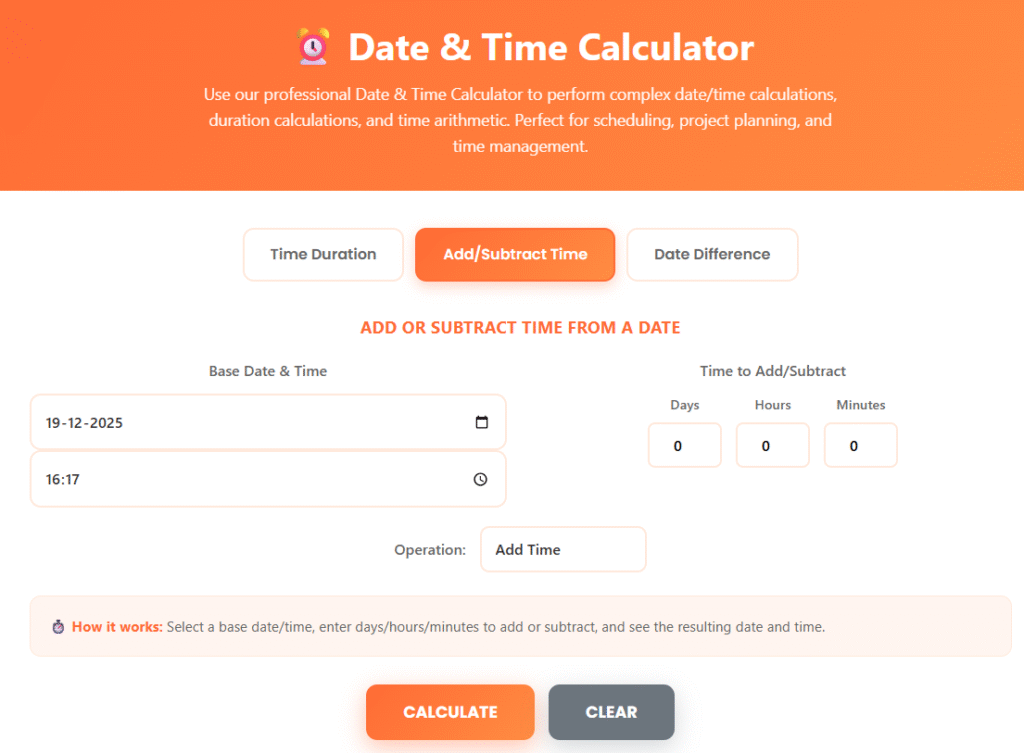
This method is useful when planning schedules or estimating completion times.
- Select “Add/Subtract Time”
- Enter the Base Date & Time (shift start)
- Enter hours, minutes, or days to add or subtract
- Choose Add Time or Subtract Time
- Click Calculate
Example:
If a project starts at 2:00 PM and requires 36 working hours, the calculator quickly returns the exact end date and time without guesswork.
This feature is especially helpful for planners and developers working with rolling deadlines.
Method 4: Calculate Date Differences for Scheduling
When you need to measure the gap between two calendar dates, this function is ideal.
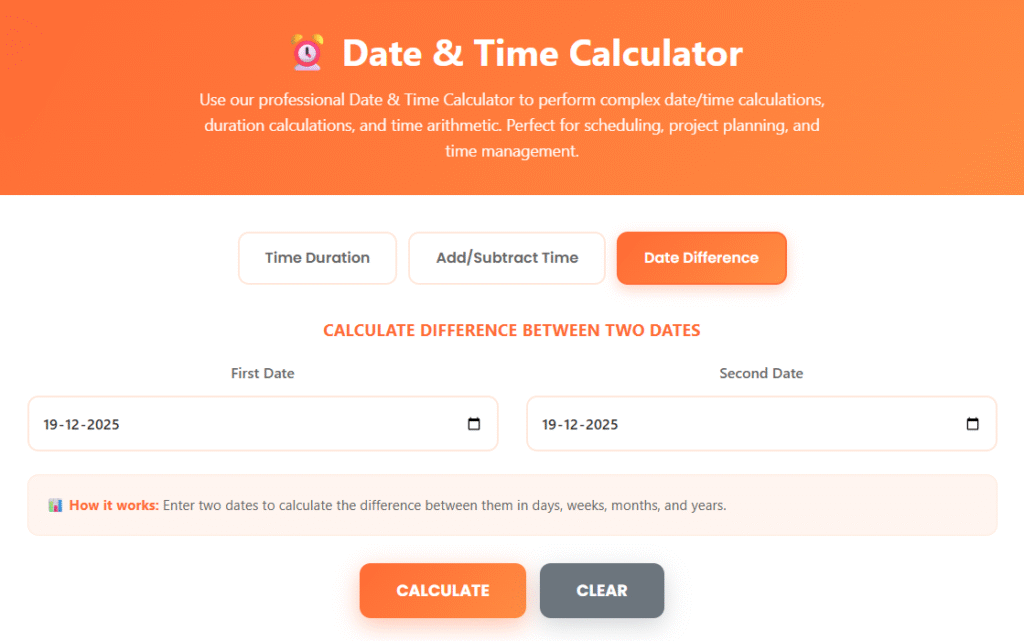
- Select “Date Difference”
- Enter the “first date“
- Enter the “second date“
- Click “Calculate“
The result shows the number of days between dates, helping users calculate date differences accurately for contracts, leave planning, or academic timelines.
Common Mistakes This Tool Helps You Avoid
Using a date and time calculator prevents several common errors:
- Forgetting to account for date changes at midnight
- Miscounting hours during overnight shifts
- Mixing up date formats (MM/DD vs DD/MM)
- Incorrectly calculating multi-day durations
- Losing accuracy when calculating working hours with breaks
Automation removes these risks and ensures consistency.
Tips for Accurate Shift Time Calculation
- Always double-check start and end dates for overnight work
- Use the correct time format (AM/PM or 24-hour)
- Enter breaks separately if needed when you calculate working hours with breaks
- Avoid rounding times manually; let the calculator handle precision
- Use the same tool consistently to maintain data uniformity
Why Use a Date & Time Calculator for Shift Tracking?
A reliable date time calculator online saves time, reduces disputes, and improves accuracy. Whether you’re managing payroll, planning events, or tracking deadlines, it offers:
- Faster calculations than spreadsheets
- Clear, readable results
- Reduced human error
- Flexibility for different use cases
For professionals, students, and teams alike, it functions as a dependable time and date calculator that adapts to real-world needs.
Accurate time tracking is essential in modern work and daily planning. A well designed date and time calculator simplifies complex date logic into clear, reliable results you can trust. From calculating shift durations to planning future schedules and understanding date differences, the tool removes uncertainty from time-based tasks.
By using Calculate Date and Time consistently, you gain confidence, accuracy, and efficiency in every calculation making it a practical solution you’ll return to again and again.
Faq’s
How do you calculate shift timing?
Shift timing is calculated by finding the total time between the shift start and end times.
What is the formula for calculating employee shift time?
Time = End Time − Start Time
(Include dates for overnight shifts.)